 how-to
How Do You Choose the Right Cables for a Hi-Fi System?
Quick Summary
The right hi-fi cables depend on what you connect, how far apart the units sit, and which connectors they use. Start by mapping your system, measuring real distances, then choosing speaker cable by gauge and length and interconnects by connector type.
- Speaker cable carries power from the amplifier to the speakers, while interconnects carry weaker line-level signals between components.
- For an 8-ohm speaker, keep cable resistance under roughly 0.4 ohms, which is about 5% of nominal impedance.
- Keep speaker cable as short as your layout allows, since longer runs increase resistance.
- Match interconnect connectors to your equipment so you can avoid adapters, which add connection points and noise risk.
- Check speaker polarity at both ends, because a reversed connection often causes thin bass and a vague centre image.
Table of Contents
- Why Cable Choice Matters in a Hi-Fi System
- Map Your System Before You Buy Any Cable
- Choosing Speaker Cable Thickness and Length
- Selecting Hi-Fi Interconnect Cables
- Connecting a Turntable: Cables and Earthing
- Speaker Cable Connectors and Compatibility
- Installing Your Cables and Checking the Result
- Frequently Asked Questions
Why Cable Choice Matters in a Hi-Fi System
Last Updated: November 1, 2026
Choosing the right hi-fi cables for your system is one of the most overlooked parts of building a good sound setup.
A cable does not add sound of its own in the way an amplifier does. Its job is to carry the signal from one piece of kit to the next without losing quality.
Here is the short answer: the right cable depends on what you connect, how far apart the units sit, and what kind of connectors they use. There is no single "best" cable for every setup.
- Speaker cable carries power from the amplifier to your speakers.
- Interconnects carry the weaker line-level signal between components like a source, preamp and amp.
- Power cables feed mains electricity to your equipment.
Many people treat these as one thing. They are not, and mixing them up is a common mistake.
Map Your System Before You Buy Any Cable
Before you buy anything, write down every component in your system. List the source, amplifier, speakers and any turntable or streamer.
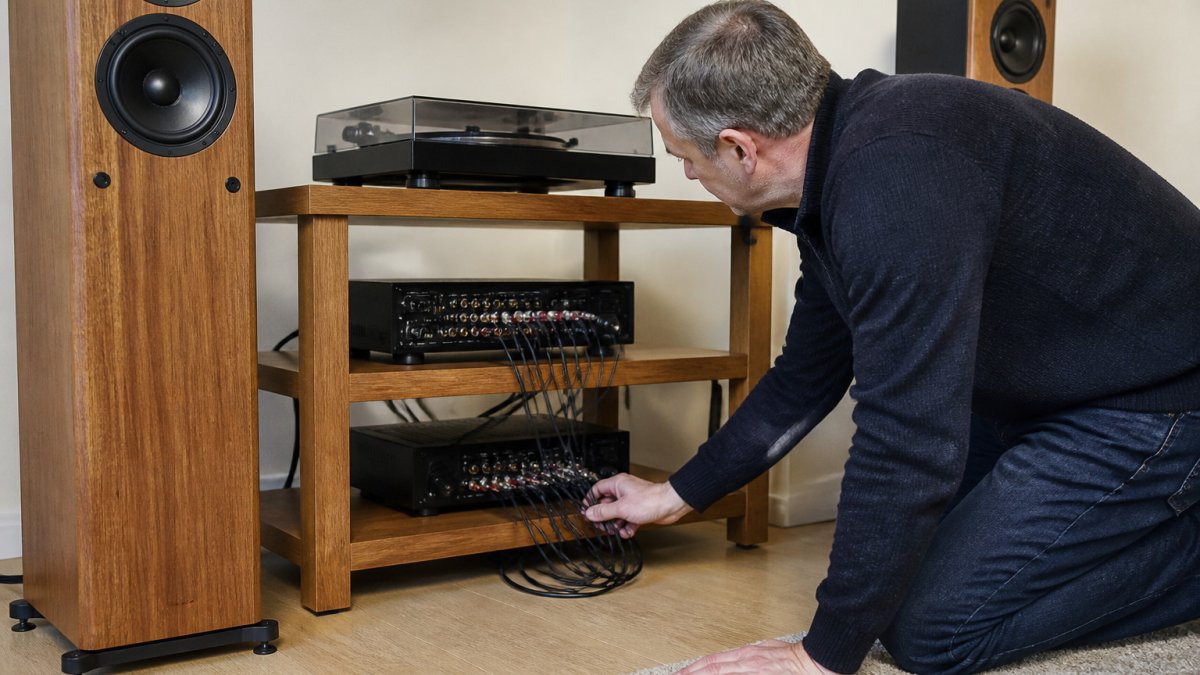
This step sounds basic, but it saves money. A simple sketch of your system shows you exactly which cables you need and how long they must be.
Measure the real distances too. Run a tape measure from each component to the next, then add a little slack for routing behind furniture. Don't guess.
Once you have your map, you can shop with purpose instead of buying on impulse.
Choosing Speaker Cable Thickness and Length
Speaker cable is where many buyers get stuck. Thickness is usually described using a wire gauge number, and length affects how much signal reaches the speakers. Both matter, but neither needs to be extreme. The practical goal is simple: keep the total resistance of the cable low enough that it does not meaningfully change the load the amplifier sees.
Wire Gauge, Resistance and Signal Loss
Wire gauge, shown as AWG, tells you how thick the copper conductor is. Lower numbers mean thicker wire.
Speaker cable sits in a power-delivery role, so resistance matters more than it does for a delicate interconnect.
A useful rule of thumb used by many installers is to keep the cable's total loop resistance below about 5% of the speaker's nominal impedance.
| Speaker impedance | Up to 3 m | 3-6 m | 6-10 m | Over 10 m |
|---|---|---|---|---|
| 8 ohms | 16 AWG | 16 AWG | 14 AWG | 12 AWG |
| 4 ohms | 14 AWG | 14 AWG | 12 AWG | 10 AWG |
| 2 ohms | 12 AWG | 12 AWG | 10 AWG | 10 AWG or reconsider layout |
These are starting points, not absolutes. If your amplifier is high-powered or your speakers dip well below their nominal impedance at some frequencies, err on the side of thicker cable.
Oxygen-free copper (OFC) is a common cable material. The real gains usually come from correct gauge and length rather than the material name alone.
Cable Length and Balanced Versus Unbalanced Connections
Keep speaker cable as short as your layout allows. Longer runs increase resistance and, with some setups, can alter how the amplifier and speakers interact.
Balanced versus unbalanced is mostly a question about interconnects, not speaker cable. Balanced connections, typically XLR, use two signal wires plus an earth, and are designed to reject interference over longer distances.
If your components offer both, a balanced connection is often a sound choice for longer runs in electrically noisy environments. Keep your signal cables away from mains cables where you can. Crossing them at right angles is better than running them side by side.
What Actually Changes the Sound, and What Doesn't
It is worth separating measurable effects from marketing claims. Cable gauge, length and the quality of the connection have measurable electrical effects, and getting them wrong can audibly change the result. Beyond that, differences between well-made cables of adequate gauge are small and often below the threshold of reliable hearing in a normal room.
A sensible approach is to buy cable that is correctly sized and well terminated. Spend the money you save on room treatment, speaker placement or better source material, those changes are far more likely to be audible. If you want to test a claim for yourself, have someone else swap the cables so you are not influenced by knowing which is which.
Selecting Hi-Fi Interconnect Cables
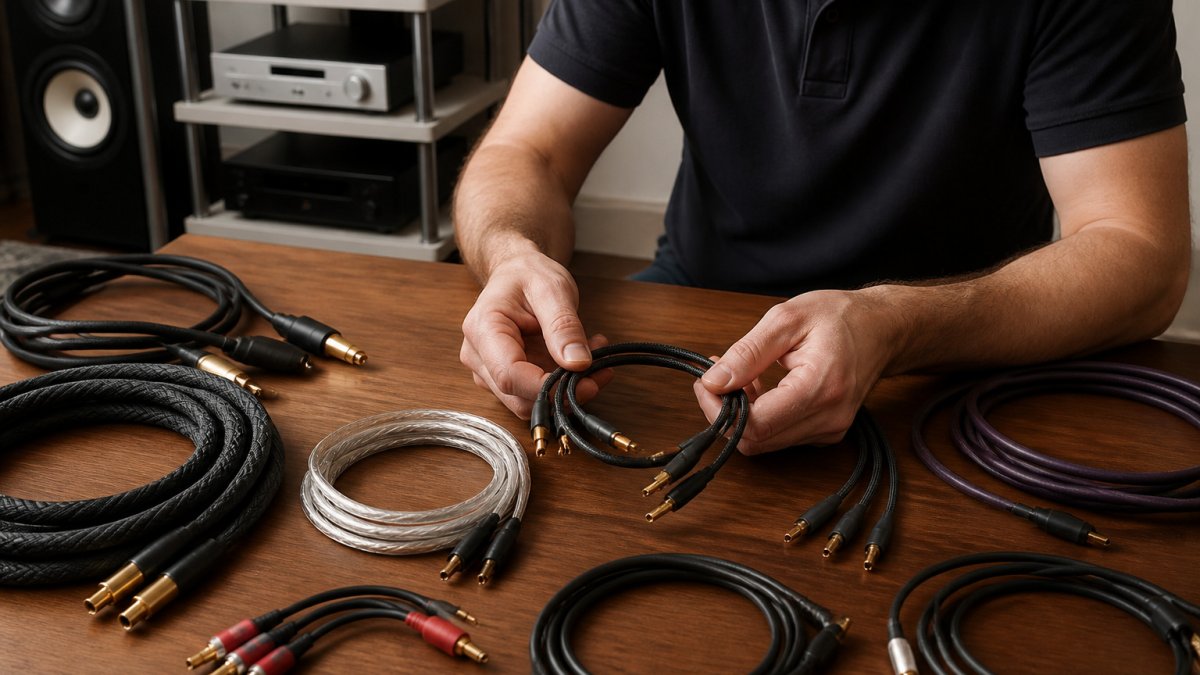
Interconnects carry the line-level signal between your source and amplifier. Among hi-fi cables, they come in several connector types, and choosing the right one matters more than chasing a premium price.
Here is a quick guide to the common options:
| Connector | Typical Use | Notes |
|---|---|---|
| RCA (phono) | Most home hi-fi components | Widely available and easy to fit |
| XLR | Balanced professional and high-end kit | Better noise rejection over longer runs |
| TRS (1/4 inch) | Some balanced hi-fi and studio gear | Common on certain amplifiers |
| 3.5 mm | Portable devices and some streamers | Usually needs an adapter for hi-fi kit |
Use the connectors your equipment actually has. Adapters work, but each one adds a connection point and a small chance of noise or loss. Where possible, choose a cable that matches both ends without adapting.
For interconnect length, keep runs short. Most home setups are fine with one to two metres, and a shorter cable is generally cleaner.
Our advice for the first purchase: match the connector type and keep the run as short as practical.
Connecting a Turntable: Cables and Earthing
Turntables need a little extra care. A record player's cartridge produces a very small signal, which is why it needs a phono stage before it reaches a standard line input.
Many turntables have a built-in phono stage, which you will see described as an integrated or built-in preamp. If yours does not, you will need an external phono preamp between the deck and your amplifier.
Earthing is the other big factor. Turntables can hum if the earth connection is poor.
If you hear a steady hum when nothing is playing, check the earth connection and the cable routing before you blame the equipment.
Speaker Cable Connectors and Compatibility
Connectors at the speaker end are simple to get right if you understand the options. The most common choices are bare wire, banana plugs and spade connectors.
- Bare wire works with most binding posts, but needs careful stripping and tight, clean connections.
- Banana plugs click into compatible terminals and give a secure, quick connection.
- Spade connectors fit under screw terminals and suit many amplifiers.
Check your amplifier and speaker terminals before buying. Some terminals accept only one type comfortably, and forcing the wrong connector can damage them or give a loose fit.
Compatibility also covers the amplifier's rated power and the speaker's impedance. Impedance is the electrical resistance a speaker presents to the amplifier, measured in ohms. A cable that is correctly sized for your speaker's load helps the amplifier deliver power cleanly. When in doubt, ask someone who can check the specifications for your exact models.
Installing Your Cables and Checking the Result
Once your cables are chosen, install them with care. Power everything down and unplug it before you start. Connect the cables to the correct inputs and outputs, and check polarity on speaker connections. Positive should match positive, and negative should match negative, on both the amplifier and the speaker.
Safe Routing and Physical Protection
Route cables neatly and keep signal cables away from mains leads where you can. Crossing them at right angles is better than running them side by side. Avoid tight bends, crushing cables behind furniture or trapping them under rugs where they will be walked on.
- Keep cables clear of walkways, or use cable trunking or floor covers to prevent trip hazards (Slips and trips in production areas).
- Do not coil excess speaker cable tightly, loosely loop it instead.
- Leave a little slack at each end so connectors are not under strain, and use strain relief where the cable enters a plug or terminal.
- Keep cables away from heat sources and ensure equipment has ventilation.
- If you must run cable near mains wiring, keep parallel runs short and cross at right angles where possible.
Verifying the Installation
After installation, do a simple set of checks before you judge the sound.
- Polarity: confirm positive to positive and negative to negative at both ends. A reversed connection on one speaker usually shows up as thin bass and a vague centre image.
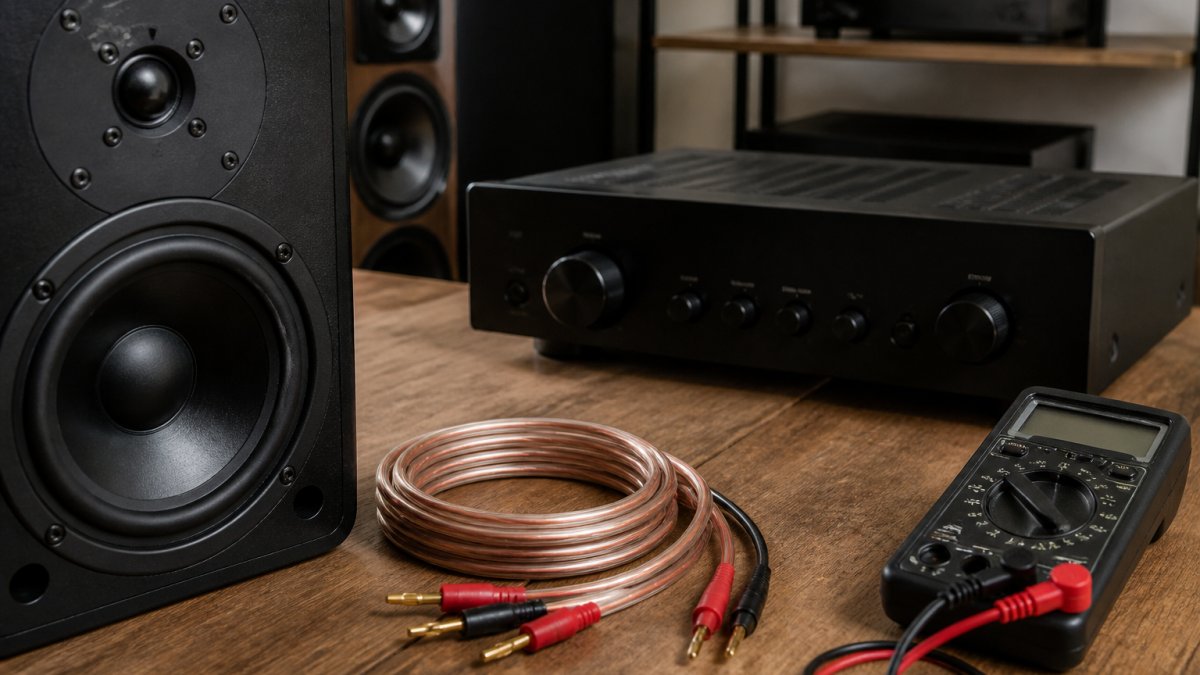
- Continuity: with the system off, use a multimeter to check each conductor end to end. This catches a broken wire or a poor solder joint before you blame the equipment.
- Channel check: play a track with a clear centred vocal. If the voice pulls to one side, check connections and speaker placement.
- Hum check: with nothing playing, turn the volume up gradually. A steady hum often points to an earth loop or a signal cable running too close to a mains lead. Try re-routing first, then check earth connections, especially around a turntable.
- Noise check: listen for crackle or intermittent dropouts when you gently move connectors. If it appears, power down and reseat or replace the cable.
When to Suspect the Cable
If something sounds wrong, work through the chain methodically. Swap one cable at a time with a known-good cable, starting at the source and moving towards the speakers. This isolates the fault without changing several variables at once. Most problems turn out to be a loose connector, a reversed polarity or a cable routed too close to mains, not a fault in the cable itself.
Careful connection is the last step, and the one that makes everything you planned pay off. If you'd like help choosing and checking the right cables for your system, our team at Chiltern Audio can talk you through the options.
Frequently Asked Questions
What cables do I need for a hi-fi system?
A typical system needs speaker cables to connect the amplifier to each loudspeaker, interconnects (RCA or XLR) to link sources such as a streamer, CD player or turntable phono stage to the amplifier, and a mains power cable for each component. Digital sources may also need a suitable digital link. Match each cable to the connectors on your equipment, and check the manufacturer's manuals before buying, since sockets differ between brands and models.
What thickness speaker cable should I use?
Speaker cable thickness should be chosen to suit the length of the run and the power your amplifier delivers. Thicker cable lowers resistance, which matters more over longer runs or with low-impedance loudspeakers. Choose thickness based on the length of the run and the power your amplifier delivers, rather than assuming thicker is always better.
How long can a hi-fi speaker cable be?
Shorter runs are generally better, because resistance and signal loss increase with length. Keeping speaker cables as short as practical, and using a thicker gauge for longer runs, helps preserve the amplifier's control over the loudspeakers. If you need a long run, measure the total resistance and compare it with the amplifier and speaker specifications, or ask a dealer to check it against your system.
Do hi-fi cables make a difference to sound quality?
Cables with adequate gauge, correct connectors and good shielding will perform reliably, and poor choices such as undersized wire, loose terminations or unshielded interconnects can cause real problems like hum or signal loss. Beyond that, claims of large audible differences between premium cables are debated, so judge by listening in your own room and by whether the cable meets the technical needs of your system.