 blog
blog
7 Essential Turntable Setup Tools for Beginners
Table of Contents
- The 7 Tools You Need for Turntable Setup
- Turntable Stylus Force Gauge: Measuring Tracking Force
- Turntable Alignment Protractor: Getting Cartridge Alignment Right
- Turntable Spirit Level: Why a Level Surface Changes Everything
- Record Cleaning Brush: Protecting Your Stylus and Vinyl
- Connecting Your Turntable to Speakers and Amplifiers
- Common Turntable Setup Mistakes and How to Spot Them
- Low-Cost and No-Cost Alternatives for Turntable Setup
- Frequently Asked Questions
Last Updated: October 7, 2026
The 7 Tools You Need for Turntable Setup
A well-set-up record player protects your vinyl and gets the most from your system. We help first-time buyers get their decks running properly, and the honest truth is that seven small tools do most of the work. This guide to the 7 essential turntable setup tools for beginners covers what each tool does, the order to use them, and where you can save money.
You do not need a workshop full of gear. You need the right seven items, used in the right order.
Why Setup Tools Matter More Than You Think
A stylus that tracks too heavily wears your records down. One that tracks too lightly skips and mistracks. A cartridge that sits at an angle produces distorted sound on one channel.
None of these problems are visible to the eye. That is why tools matter: they turn guesswork into measurement. A small error at the stylus becomes a big error at the speakers.
The Prioritised Seven-Tool Kit for Beginners
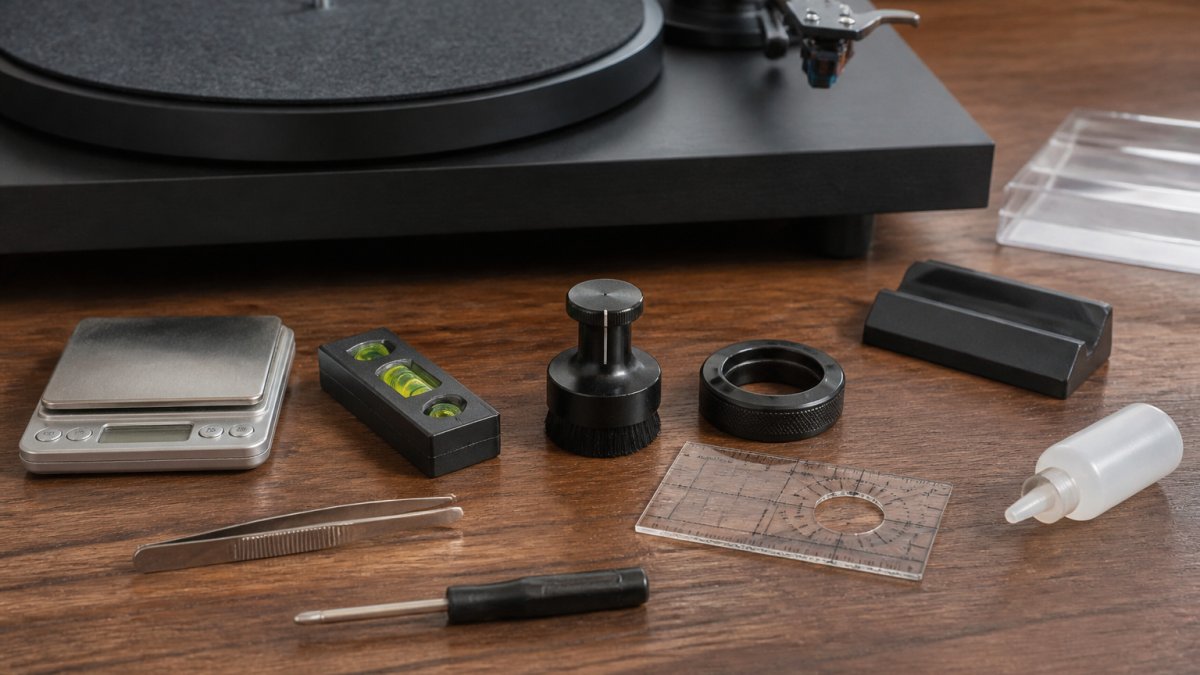
Here is the kit, ranked by how much each tool affects sound and record safety. Start at the top and work down.
| Priority | Tool | What It Does | Typical Cost |
|---|---|---|---|
| 1 | Stylus force gauge | Measures tracking force in grams | Low to mid |
| 2 | Alignment protractor | Aligns the cartridge in the tonearm | Low |
| 3 | Spirit level | Confirms the deck sits flat | Very low |
| 4 | Record cleaning brush | Removes dust before play | Low |
| 5 | Small screwdriver set | Fits cartridge and headshell screws | Low |
| 6 | Anti-skate test record | Checks the anti-skate setting | Mid |
| 7 | Stylus brush | Cleans the stylus tip itself | Very low |
Turntable Stylus Force Gauge: Measuring Tracking Force
A stylus force gauge is a small scale that measures how hard the stylus presses into the record groove, expressed in grams.
Every cartridge has a recommended tracking force range, printed in the manual or listed on the maker's spec sheet. Typical moving-magnet cartridges sit somewhere in the 1.5 g to 2.5 g band, while many moving-coil designs track heavier, often 2.0 g to 2.5 g.
Digital vs beam gauges
A digital gauge gives a precise reading in grams to two decimal places and is the easier option for a beginner. A beam or balance gauge does the same job mechanically, with a counterweight and a pointer, and needs no batteries, but it is fiddlier to read and easier to knock out of calibration. Either works; the digital type simply removes a source of doubt.
How to use one
- Switch the deck off and remove the record.
- Place the gauge on the platter, with its platform level with where the record surface would sit. If the gauge sits on the platter mat, account for the mat's thickness.
- Lower the stylus gently onto the gauge platform using the cueing lever, never drop it by hand.
- Read the weight, then adjust the counterweight at the back of the tonearm. Turn it towards the headshell to increase force, away to reduce it.
- Re-check at least twice, because the reading drifts as you turn the counterweight and as the arm settles.
After you change anything upstream, alignment, cartridge, headshell, re-check the force. Moving the cartridge changes how the stylus sits in the arm, so the earlier reading no longer holds.
What the wrong reading sounds and looks like
- Too heavy: the stylus drags in the groove, high frequencies dull, and both record and stylus wear faster. Over many plays this is permanent groove damage.
- Too light: the stylus skates, mistracks on loud passages, and produces inner-groove distortion. It can also skip entirely on warped records.
Keep the gauge platform clean and store it away from dust. A dirty or sticky platform gives false readings, and a gauge you cannot trust is worse than no gauge at all.
Turntable Alignment Protractor: Getting Cartridge Alignment Right
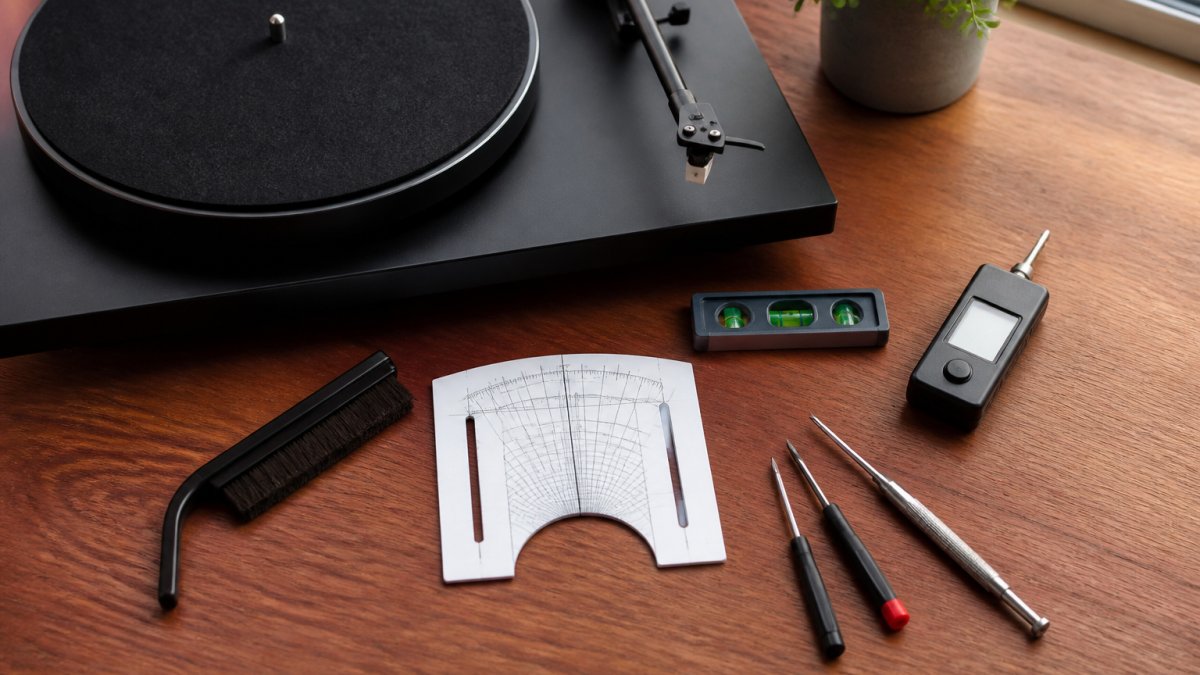
A turntable alignment protractor is a printed or mirrored template that shows where the stylus tip should sit as the tonearm moves across the record. Correct alignment reduces distortion, evens out tracking across both sides, and slows uneven record wear. It is the second tool in the kit because it changes how every other setting behaves.
What alignment actually adjusts
A pivoted tonearm traces an arc, not a straight line, so the stylus can only be perfectly tangent to the groove at two points across the record. A protractor places those two reference points, usually called null points, and you rotate the cartridge in the headshell until the stylus sits on both. The distance from the tonearm pivot to the stylus tip is the effective length, and the amount the stylus overhangs the spindle is the overhang.
Which geometry to use
Protractors are drawn to a specific alignment geometry, and the three you will meet are:
- Baerwald, the most common, favouring low distortion across the whole record.
- Löfgren, a family of curves that includes Baerwald; some variants trade a little inner-groove accuracy for better average tracking.
- Stevenson, favours the inner grooves, useful if you play a lot of long sides where the last track matters most.
Most beginners should use whichever geometry their turntable or cartridge maker recommends, or Baerwald if there is no guidance. The differences are small; getting the stylus on the null points at all matters far more than which curve you chose.
Paper vs mirrored
A paper protractor printed at home works and many cartridges ship with one. A mirrored protractor is easier to read because the reflection shows you when the stylus and the grid line up, and it does not shift as the paper flexes. If you are buying one, mirrored is worth the small extra cost.
How to align
- Fit the protractor to the platter and confirm the spindle hole is centred.
- Loosen the cartridge mounting screws just enough that the body can move, a fraction of a turn, not a full one.
- Lower the stylus onto the outer null point and check whether the cartridge body sits parallel to the grid lines.
- Nudge the cartridge forward or back to set overhang, and rotate it slightly to set offset angle, until the stylus sits on the grid at both points.
- Tighten the screws a little at a time, alternating sides so the cartridge does not twist as you tighten.
- Re-check both null points after tightening, then re-check tracking force.
Small adjustments matter here. Work in fractions of a millimetre and re-check after every change rather than making one large move.
Symptoms of poor alignment
- Distortion on one channel, the cartridge is rotated, so the stylus is not square to the groove.
- Distortion that worsens towards the inner grooves, overhang is wrong, so the stylus misses the inner null point.
- Sibilance or harshness on vocals, a common sign the offset angle is off.
- Uneven wear across a side, the stylus is not tracing the same path on both channels.
If you hear any of these after alignment, re-check the null points before touching tracking force or anti-skate, those settings cannot fix a misaligned cartridge.
Turntable Spirit Level: Why a Level Surface Changes Everything
A turntable spirit level is a small bubble level that tells you whether the deck sits flat.
Place the level on the platter, not the plinth. Check front-to-back and side-to-side. Adjust the feet, or slide a thin shim under one corner, until the bubble sits centred.
A level deck also helps the tonearm move freely. If the arm drifts to one side on its own, the deck is probably not flat.
Record Cleaning Brush: Protecting Your Stylus and Vinyl
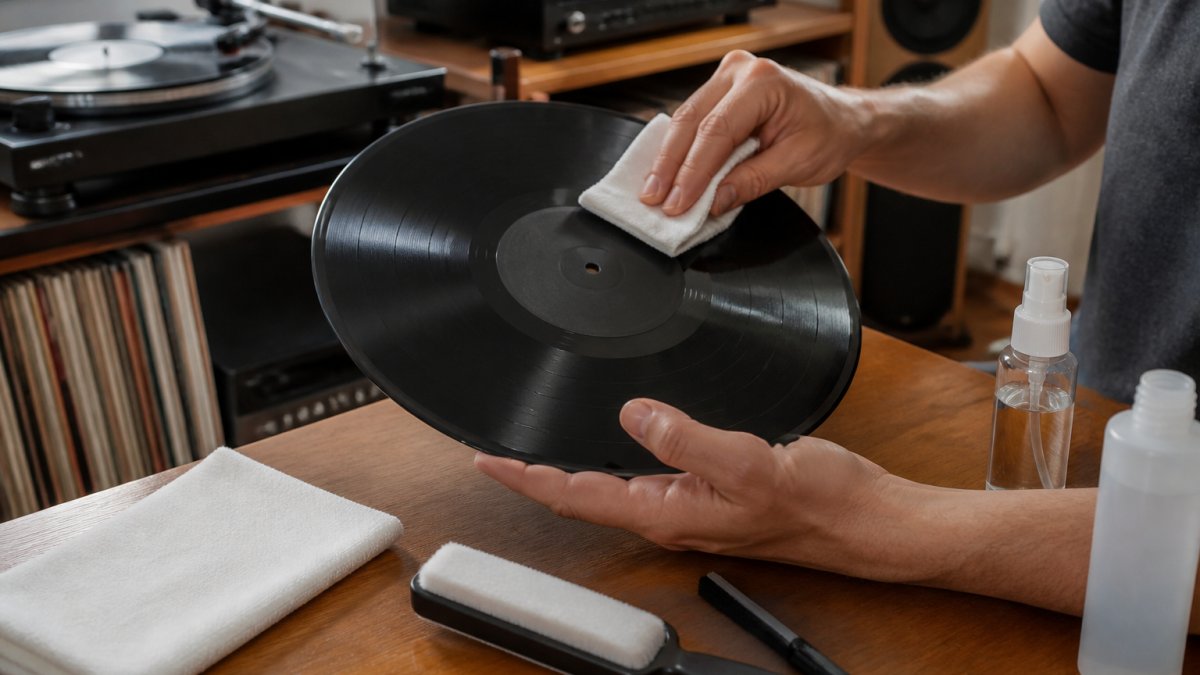
A record cleaning brush removes dust from the groove before the stylus ever touches it. Grit left on a record gets pushed into the groove and wears both the vinyl and the stylus tip.
Use a carbon-fibre brush before every play. Rest it on the spinning record and let it sweep the dust to the edge.
Clean the stylus too, with a dry stylus brush, brushing from back to front. Never use your fingers.
Connecting Your Turntable to Speakers and Amplifiers
Most beginners get stuck here, and it is simpler than it looks. A turntable needs three things: power, a phono stage, and a connection to your speakers or amplifier.
Check your deck first. Some have a built-in phono stage; many do not.
For a minimalist setup, powered speakers with a phono input skip the amplifier entirely. Just connect the turntable to the speakers and you are running.
Grounding matters. Connect the thin ground wire from the turntable to the amp or phono stage.
Common Turntable Setup Mistakes and How to Spot Them
Most setup problems show up as a symptom you can hear. Match the symptom to the cause and fix it in minutes.
| Symptom | Likely Cause | Fix |
|---|---|---|
| Hum through speakers | Missing ground wire | Connect the ground lead |
| Skipping on loud passages | Tracking force too light | Re-set with a force gauge |
| Distortion on one channel | Cartridge misaligned | Re-check the protractor |
| Uneven channel balance | Deck not level | Level the platter |
| Crackle and pops | Dusty record or stylus | Clean both before play |
Low-Cost and No-Cost Alternatives for Turntable Setup
You can set up a turntable well without spending much. A paper protractor printed at home works, and many cartridges ship with one. A smartphone spirit-level app is accurate enough for levelling.
Where to spend instead of save: the force gauge. A cheap gauge that reads wrong is worse than no gauge at all, because you will trust it. Buy a decent one and keep it.
Frequently Asked Questions
What tools do I need to set up my turntable?
You need seven core tools: a stylus force gauge, an alignment protractor, a spirit level, a record cleaning brush, a small screwdriver set, anti-skate adjustment tools (often built in), and a carbon fibre brush for dust. A tracking force gauge and alignment protractor are the two most critical for protecting your records and stylus. Many turntables include basic versions of these, but upgrading to a dedicated gauge and protractor gives you far better accuracy for turntable setup.
Do I really need a stylus force gauge to set up a turntable?
Yes, a turntable stylus force gauge is essential. While many tonearms have printed tracking force markings, these are often inaccurate by 0.2 to 0.5 grams. Setting the wrong tracking force causes mistracking, distortion, and premature stylus wear. A digital gauge costs little and takes seconds to use. Set the force to the cartridge manufacturer's recommended range, usually between 1.5 and 2.5 grams, and verify with the gauge rather than trusting the dial alone.
How do I check whether my turntable is level?
Place a turntable spirit level on the platter (with the mat removed) and check both front-to-back and side-to-side. If the bubble is off-centre, adjust the feet or place shims under the plinth corners until it sits centred. A level surface prevents uneven stylus pressure, reduces wow and flutter, and keeps the tonearm tracking smoothly. Recheck after moving the turntable or changing your shelf or stand.
Can I set up a turntable without specialist tools?
You can get a basic setup with household items: a small bubble level from a DIY shop, a ruler for overhang, and a soft brush for dust. However, for accurate cartridge alignment and tracking force measurement, a dedicated turntable alignment protractor and stylus force gauge are worth the modest investment. They remove guesswork, protect your vinyl, and make a clear difference to sound quality. Many beginners find these two tools pay for themselves by preventing costly stylus replacements.
Setting up a turntable is a skill, not a mystery, but the small errors add up and quietly wear your records. Get the tools right, follow the order, and your vinyl will sound better and last longer. Chiltern Audio can guide you through it with expert advice on Rega turntables, bespoke system building, and a record cleaning service, so your first deck sounds as good as it should. Get started with Chiltern Audio and build a setup that lasts.