 listicle
Are Bookshelf Speakers the Best Choice for Desktop Audio?
Last Updated: November 7, 2026
Quick Summary
Bookshelf speakers are a strong choice for desktop audio because their compact cabinets give real stereo imaging at near-field distances. Powered models suit a simple, clean desk, while passive models let you upgrade the amplifier later. Measure your desk before buying, since cabinet size and placement decide how well the pair fits.
- Near-field listening, usually within about a metre, lets a modest pair sound clear on a desk.
- Powered bookshelf speakers have a built-in amplifier and need fewer boxes and cables.
- Passive speakers need an amplifier, which adds cost but allows later upgrades.
- Check cabinet width, depth and height against your desk before ordering any pair.
- Passive speakers wired straight to a computer headphone socket will sound weak and distorted.
Table of Contents
- Why Bookshelf Speakers Work on a Desk
- Bookshelf Speakers vs PC Speakers: Which Suits Your Desk?
- Powered Bookshelf Speakers for Desktop Use
- Best Bookshelf Speakers for a Desktop Audio Setup
- How to Connect Bookshelf Speakers to a Computer
- Bookshelf Speaker Placement on a Desk
- Choosing Your Desktop Speakers Next Step
- Frequently Asked Questions
Why Bookshelf Speakers Work on a Desk
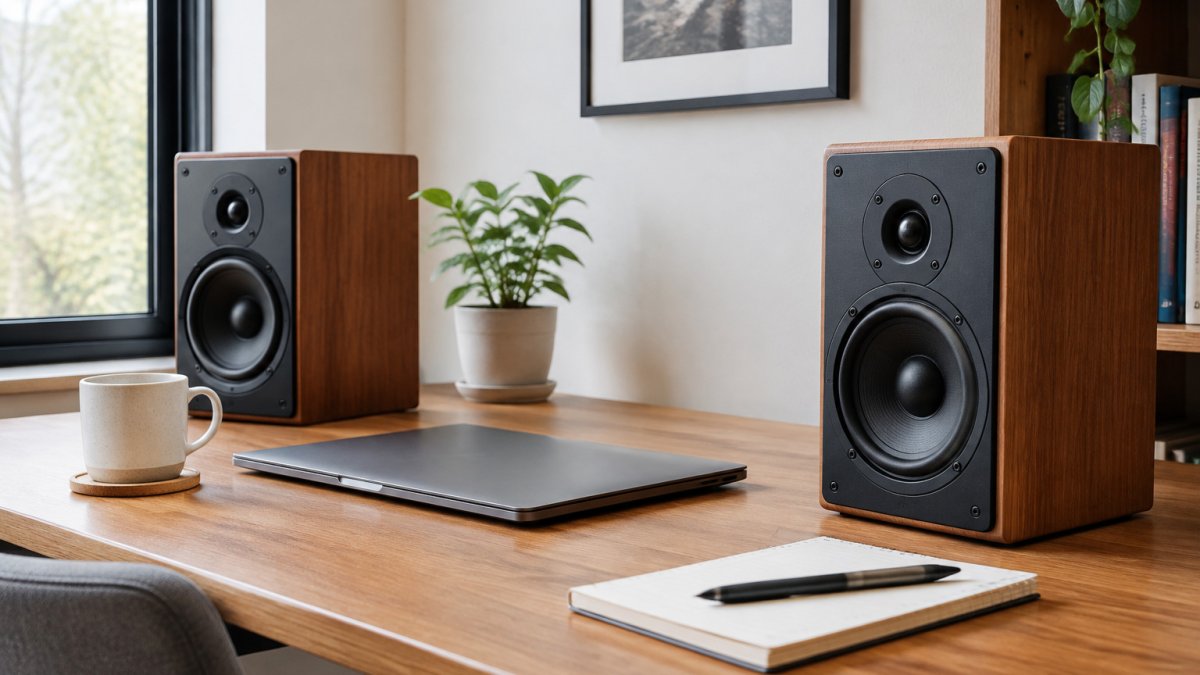
Bookshelf speakers are one of the most practical ways to get proper stereo sound on a desk. Compact cabinets, real stereo imaging, and a choice of passive or powered designs make them a strong fit for near-field listening.
Near-field listening means sitting close to the speakers, usually within a metre or so.
Many desk users find that bookshelf speakers suit small rooms, short listening distances, and mixed use, from music and films to occasional gaming. It is worth measuring your desk before buying anything, which is covered in the placement section below.
Bookshelf Speakers vs PC Speakers: Which Suits Your Desk?
Dedicated PC speakers are designed to be simple. Most plug straight into a computer, often with a USB or 3.5mm input, and include a built-in amplifier. Bookshelf speakers are usually a step up in build quality and stereo detail, but they may need an amplifier, a DAC, or both.
Here is a practical comparison:
| Factor | Bookshelf speakers | Dedicated PC speakers |
|---|---|---|
| Typical setup | Often needs an amp or powered model | Plug and play |
| Sound detail | Generally stronger imaging and midrange | Varies widely by price |
| Desk footprint | Compact, but needs stands or a shelf | Usually very compact |
| Upgrade path | Can be paired with better amplifiers | Limited once bought |
| Total cost | Speakers plus amplifier, often more | Lower upfront outlay |
Bookshelf speakers suit listeners who care about music quality and plan to keep the system for years. If you mainly want clear voice and basic sound for video calls, a good dedicated PC speaker will often be the better value.
Powered Bookshelf Speakers for Desktop Use
Powered (active) bookshelf speakers have a built-in amplifier, so you connect them directly to a source without a separate amp. To work out how to match speakers and amplifiers, this guide walks through the options.
The Edifier M90 is one powered option for a desktop setup. Powered models suit people who want a compact, single-purchase system. Check its inputs and dimensions against your desk before buying.
Passive speakers need an amplifier, which gives more flexibility later but adds cost and a second box.
Best Bookshelf Speakers for a Desktop Audio Setup
Below, options are grouped by price tier and, importantly, by whether they will fit a desk. Many buying guides list names without cabinet width, depth, or height, which is a common reason a speaker gets returned. Check the manufacturer's published dimensions before buying. Pricing depends on finish, stock, and delivery, so confirm the current UK price with the retailer or request a quote from Chiltern Audio.
Best Value Pick
The ELAC Debut 2.0 B6.2 is a passive design, so budget for an amplifier on top of the speaker price. Measure the cabinet against your desk before ordering; a rear-ported cabinet needs breathing room behind it. The woofer size is typically around 16.5cm (6.5 inches).
Best for: Listeners who want a solid pair of passive speakers without spending heavily. Skip if: you need a powered model, as this pair will need an amplifier.
Best Mid-Price Pick
The DALI Sonik 1 is a mid-price option. Ask Chiltern Audio for current pricing and, where possible, a demonstration. As a passive speaker, it also needs an amplifier, which changes the true system cost (see the system-cost note below).
Best for: Buyers who want a well-reviewed speaker in the middle of the market. Skip if: your budget is firmly at the entry level.
Best Budget Pick
The DALI KUPID and the Paradigm Premier 120B V2 are budget-oriented options. Confirm the current UK price with the retailer before you commit. Budget models are the most sensitive to placement: a small cabinet close to a wall can sound boomy, so plan for at least a few centimetres of rear clearance.
Best for: Shoppers starting out on a tight budget who still want proper stereo. Skip if: you plan to add a subwoofer or a larger room later, as entry models may not scale up.
Other Models Worth a Listen
The Klipsch RP-600M II, the Sony SS-CS5M2, and the Sony ES15 are all worth auditioning. The Bowers & Wilkins 705 S3 sits at the premium end, so it suits buyers who want a high level of detail and can accept a larger outlay. Even a detailed bookshelf speaker needs room to breathe, so balancing its footprint against the available desk space is part of choosing a desktop setup that works, as THATSMYOFFICE makes clear.
Desk-Fit Checklist Before You Buy
Before any of the above goes in a basket, run this check. It is the step most guides skip and the one that decides whether a speaker stays on your desk.
- Cabinet width: two speakers plus a gap between them must fit either side of your monitor. Measure the clear space from the monitor edge to the desk edge on both sides.
- Cabinet depth: the speaker must sit behind your keyboard without overhanging the front edge. Add 5-10 cm behind the cabinet for a rear port and cables.
- Height and tweeter line: the tweeter should sit roughly at ear height when you are seated. A short cabinet may need a stand or wedge to raise it.
- Listening distance: near-field listening usually means sitting within about a metre. If your desk forces you further back, a larger cabinet may suit better.
- Monitor clearance: check that the speaker does not block the bottom of the screen or crowd the mouse arm.
Complete System Cost
Passive speakers are only part of the outlay. A passive desktop system typically includes speakers plus an amplifier or DAC-amplifier, speaker cable, and optionally a subwoofer. Powered models fold the amplifier into the speaker price, which is why they often look dearer per box but cheaper as a system. When comparing tiers, compare the total, not the speaker alone. Request a full system quote from Chiltern Audio so you are comparing like with like.
Watch out: a passive speaker wired straight to a computer headphone socket without an amplifier will sound weak and distorted; the amplifier is not optional.
How to Connect Bookshelf Speakers to a Computer
Connecting bookshelf speakers to a computer is straightforward once you know your options. Use the connection your amplifier or powered speaker supports, and keep the signal path as short as practical.
- Check your computer's output. Most laptops and desktops offer a 3.5mm headphone output, and some offer USB or HDMI audio.
- Choose your amplifier or powered speaker input. Passive speakers need an amplifier with a line-level input, while powered speakers usually take a 3.5mm, RCA, or USB connection.
- Use the right cable. A 3.5mm-to-RCA lead works for many setups, but confirm the connectors on your own equipment first.
- Set the computer output. In your sound settings, select the amplifier or speakers as the default playback device.
- Test with known material. Play a familiar album to check left and right channels and the overall balance.
Watch out: a passive speaker connected directly to a computer headphone socket without an amplifier may sound weak or distorted. Always confirm your amplifier is in the signal chain. If you are unsure whether your speakers are compatible, read speaker impedance for beginners.
Bookshelf Speaker Placement on a Desk
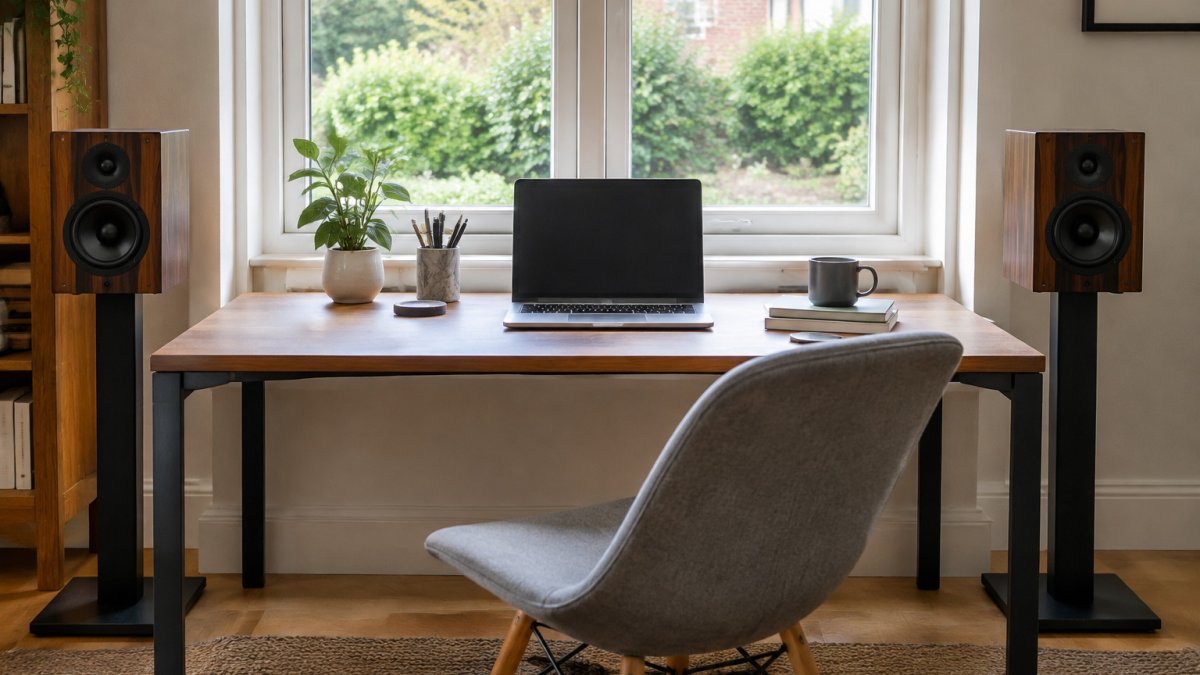
Good placement matters more than the speaker itself on a desk, and near-field listening makes small changes audible. The aim is a stable stereo image, controlled bass, and a listening position you can return to every day. Work through the steps below in order; each one fixes a specific symptom rather than being a general tip.
Set the triangle first
Form an equilateral triangle between the two speakers and your head, with the speakers roughly 60-80 cm apart and angled slightly towards your listening position. Keep your head in the same spot relative to the speakers; near-field sound changes noticeably if you lean left or right, so mark the position if you share the desk.
Diagnose boomy or bloated bass
If the low end sounds thick or one-note, the cause is usually wall reinforcement. Move the speakers a few centimetres further from the back wall and side walls and listen again. Rear-ported cabinets are the most sensitive, so give them the most clearance. If the boom persists, try pulling the speakers forward so the front baffle sits ahead of the monitor and desk edge.
Diagnose a blurred or narrow stereo image
A muddy centre image usually means the speakers are toed in too far or too little, or that one is closer to a side wall than the other. Adjust toe-in in small steps and check that both speakers sit the same distance from the back wall. Symmetry matters more than any single angle.
Control desk reflections
A hard desk surface reflects sound straight back at you, which can harden the treble and smear timing. Raising the speakers on stands or wedges so the tweeter is at ear height, and keeping the desk area between you and the speakers clear, reduces this. Isolation pads or stands also decouple the cabinet from the desk, which cuts vibration transferred into the surface. For guidance on stands and acoustic isolation, see our dedicated guide.
Use stands and isolation deliberately
Stands raise the tweeter to ear height and free up desk space; isolation pads are the cheaper fix if height is already correct. Either way, the goal is to stop the desk acting as a sounding board. A speaker that looks compact can still crowd a small workspace once a stand is added, so measure the footprint including the stand.
Measure before you commit
Before buying, measure desk depth, the clear width either side of the monitor, and the height from desk to ear. Compare those figures with the cabinet dimensions and add clearance for ports and cables. If the numbers are tight, a smaller cabinet or a powered model with front-panel controls will be easier to live with.
Watch out: if the sound is harsh rather than boomy, check toe-in and desk reflections before changing equipment; most near-field harshness is a placement problem, not a speaker fault.
Choosing Your Desktop Speakers Next Step
Bookshelf speakers suit desktop audio well if you value stereo detail and plan to upgrade over time, but a dedicated PC speaker may be enough for simple needs. The right pair depends on your desk size, budget, and whether you want a powered or passive system.
If you want to hear the options before deciding, visit Chiltern Audio for a personal demonstration. Our team can help you build a balanced system with expert guidance, and you can request current prices from us.
Frequently Asked Questions
Are bookshelf speakers good for a desktop audio setup?
Yes, for most desks. Bookshelf speakers are designed for listening at close range, which suits desktop use well. They usually deliver clearer mids and more detail than small multimedia speakers at a similar size. Their main drawback is that they need an amplifier or a powered model, and they require enough desk space to sit at ear height without blocking your monitor. Check the cabinet size against your desk depth before you buy.
Should I choose powered or passive bookshelf speakers for my desk?
Powered speakers suit most desktop setups because they have a built-in amplifier and connect straight to a computer, usually via a 3.5mm jack, USB, or Bluetooth. Passive speakers need a separate amplifier or integrated amplifier, which adds cost and another box to fit on the desk. Passive models can suit listeners who want to upgrade the amplifier later. For a simple desk with limited space, a powered model is usually the practical choice.
How far apart should bookshelf speakers be on a desk?
Place the speakers roughly the same distance from you as they are from each other, forming an equilateral triangle with your head. On a typical desk, this often means around 60 to 100cm apart. Angle each speaker slightly towards your listening position, a technique often called toe-in. Keep them clear of the desk surface where possible, and avoid pushing them against a wall, as this can boost bass in an unbalanced way.